Intro
From account creation to a validated audit report with working PoCs — a practitioner's guide to everything the platform actually does, and why each step matters.
Most "AI security tools" stop at the scan. Hakira AI is built around what comes after: validated findings, chained attack paths, working proof-of-concepts, and a final report your team can actually act on — produced by a reasoning agent, not a pattern-matcher.
This guide walks through the entire platform from login to final deliverable. If you've wondered what Hakira AI actually does inside a workspace, or how the whitebox and blackbox modes differ under the hood, this is the post for you.
What it is
Hakira AI — The Agent That Thinks Like an Attacker
Hakira is a specialized cybersecurity firm built on two pillars: elite human expertise and an AI reasoning agent that augments every engagement. The platform — accessible at app.hakira.io — is where that agent runs autonomously.
The core design philosophy is simple but consequential: Hakira AI doesn't scan code the way a SAST tool does. It builds a semantic model of your system — understanding data flows, trust boundaries, privilege transitions, and component relationships — then reasons through that model the way an experienced attacker would. The output isn't a checklist of pattern matches. It's a ranked, evidence-backed set of findings with reproduction steps, root cause analysis, and working PoCs.
Legacy scanners optimise for recall — they flag everything that looks suspicious and let you triage. Hakira AI optimises for precision. By the time a finding reaches your report, it has already passed multiple validation stages. You're not drowning in noise; you're looking at real, exploitable issues.
The platform supports two distinct assessment modes: whitebox source code audit (full code access, deep structural analysis) and blackbox penetration testing (live target, no source access). Both are first-class capabilities — not an afterthought bolt-on. Which one you access depends on your subscription tier, which we'll cover next.
Before You Start
Choosing Your Subscription
Before creating an account, it's worth understanding what each tier gives you, because the subscription type directly determines which assessment modes are unlocked. Full pricing details at hakira.io/pricing
Account Creation & Login
Navigate to app.hakira.io. The login screen presents two authentication paths: Google OAuth and GitHub OAuth. The choice here is more significant than it looks.
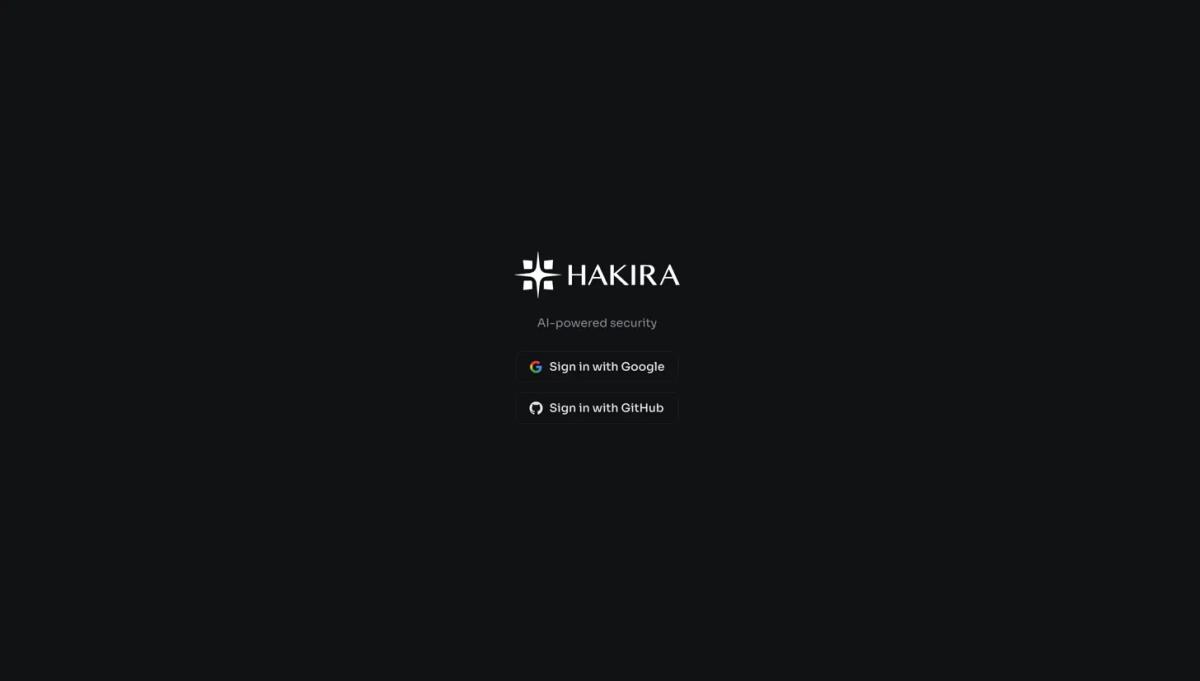
GitHub login is the recommended path for source code audits. When you authenticate via GitHub, Hakira requests read access to your repositories. This is not cosmetic — it means that when you later create a workspace, your connected GitHub repos are immediately browsable and selectable directly inside the platform. No manual repo import, no token management, no copy-pasting URLs. The GitHub integration also surfaces the detected language stack per repo (Solidity, TypeScript, etc.), which helps you identify the right target immediately.
If you're on the Pentest subscription and only doing blackbox assessments against live targets, GitHub connectivity is irrelevant — you'll be providing IP addresses and domain URLs, not repos. In that case, either login method works identically.
The Security Dashboard
After login, you land on the Security Dashboard — your operational hub for everything happening across all workspaces.
The dashboard surfaces four key metrics at a glance: total findings across all workspaces (with critical count highlighted in red), scans this month, remaining credits balance, and average audit duration. That last metric is telling — the 2h 9m average shown covers a full deep audit cycle, not a quick scan.
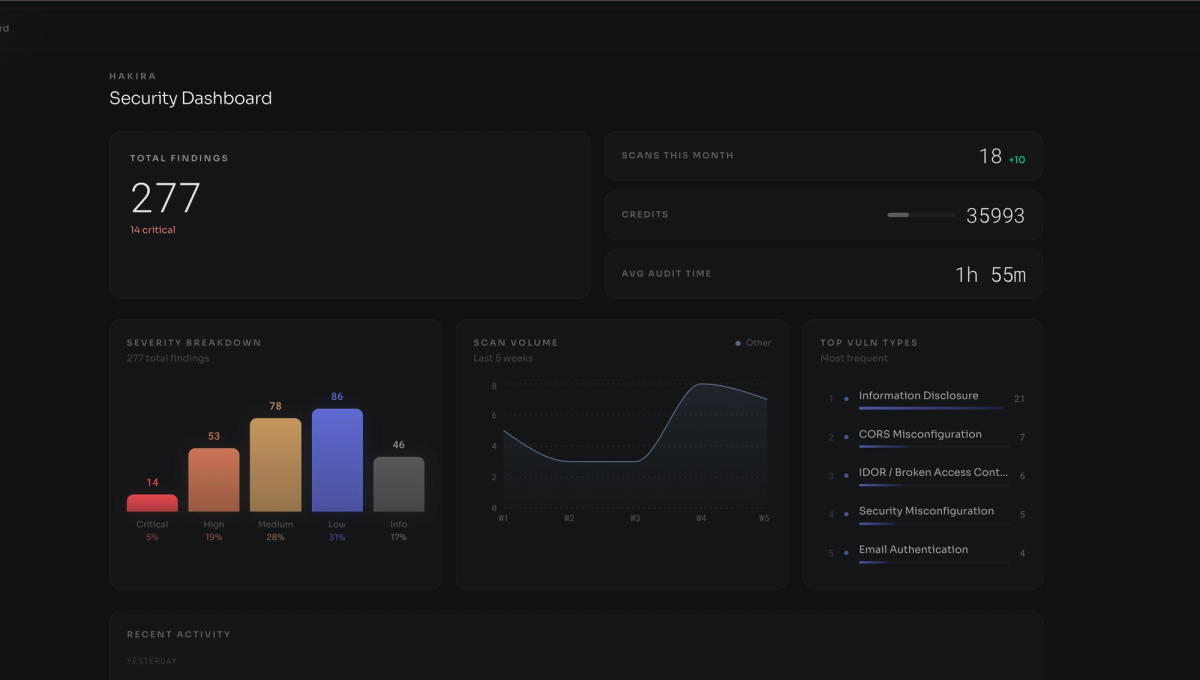
Below the metrics, three panels provide deeper signal. The severity breakdown bar chart decomposes all findings by tier: Critical, High, Medium, Low, Informational — giving you the aggregate risk profile across all engagements. The scan volume trend shows 6-week activity by scan type. The top vulnerability types panel ranks the most frequent finding categories across all workspaces — in a real deployment this surfaces systemic weaknesses: Information Disclosure, Security Misconfiguration, Insecure Deserialization, IDOR / Broken Access Control.
Creating a Workspace & Choosing Assessment Type
Click + New Workspace in the sidebar. The platform immediately surfaces the core assessment choice: two fundamentally different analysis modes.

Whitebox: Connecting Your Codebase
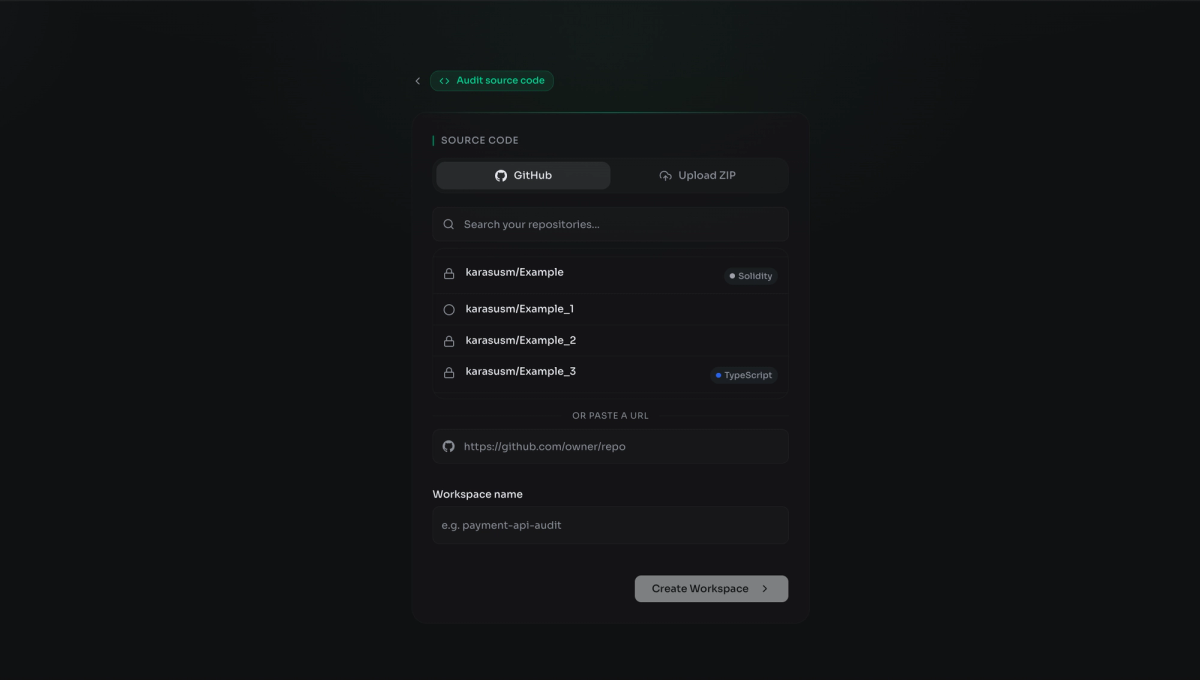
Selecting "Audit source code" opens the scope definition screen. Three ways to provide your codebase:
GitHub (connected) — if you authenticated via GitHub, your repositories appear in a searchable list with language tags auto-detected. Private repos are accessible via the read-only OAuth grant. Pick the target, name your workspace (e.g. payment-api-audit), and proceed. No token wrangling required.
GitHub URL — paste any accessible repository URL directly. Useful for auditing open-source dependencies, specific branches, or repos outside your primary GitHub account.
Upload ZIP — for codebases not on GitHub, or where you want precise control over what goes into scope. Useful for auditing a specific build artifact, a client-provided archive, or a mono-repo subdirectory.
Blackbox: Defining a Live Target
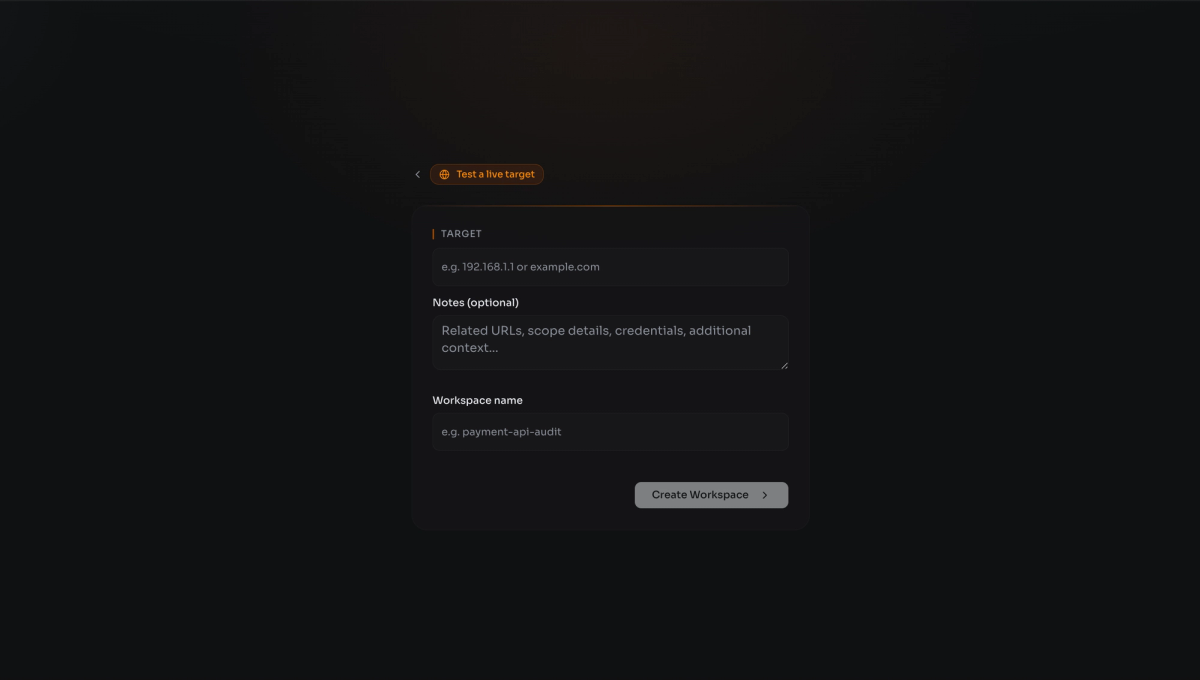
If you're on the Pentest plan and select "Test a live target," the scope screen shifts to target definition. Provide an IP address, CIDR range, or domain URL as the primary target.
The Notes field is more important than it looks — this is where you define the engagement scope in natural language. Hakira AI reads this context before beginning the assessment. Use it to provide: relevant subdomains in-scope, API endpoint bases, credential sets for authenticated testing, areas of specific concern, or explicit out-of-scope components. The more context you provide, the more the AI concentrates its effort on what matters for this specific engagement.
Workspace Initialization & Complexity Estimation
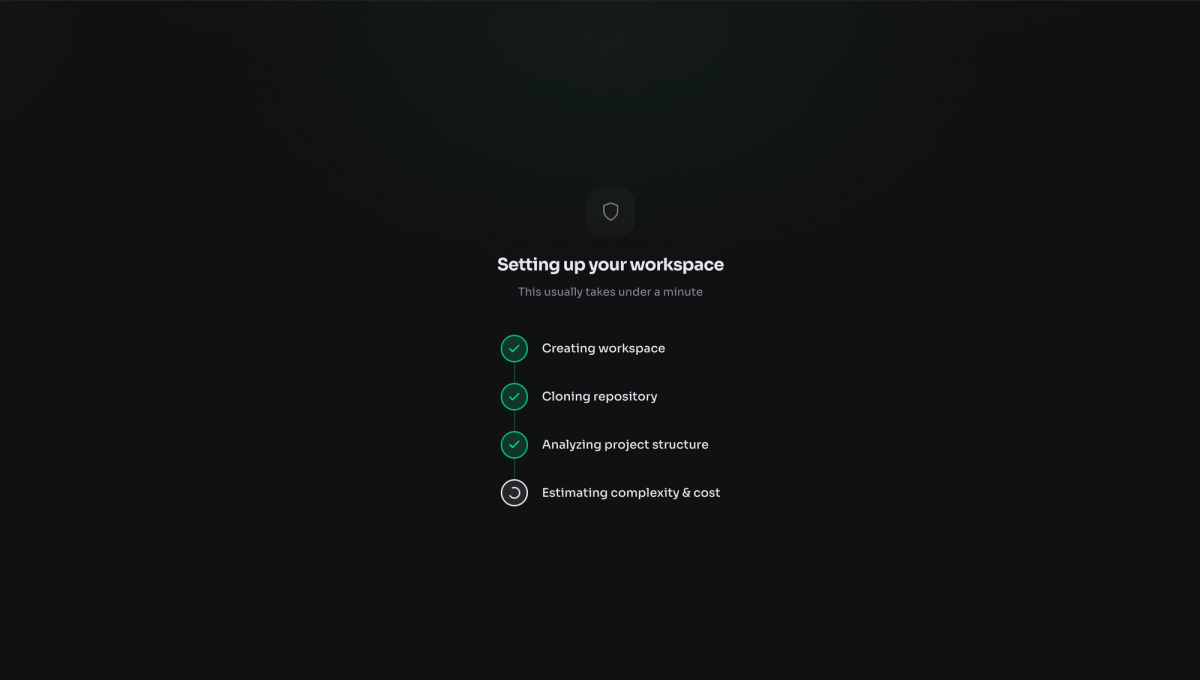
After scope definition, Hakira AI begins the pre-audit initialization sequence. This is not a loading screen — it's a meaningful analytical phase that runs four steps in sequence:
Creating workspace — the isolated project environment is provisioned. Each workspace is sandboxed; data from one engagement does not bleed into another.
Cloning repository — for GitHub-connected audits, the repo is cloned into the workspace environment with the read-only grant. Hakira AI now has the full codebase available for analysis.
Analyzing project structure — the first real analytical pass. The AI maps the project tree, identifies the tech stack (languages, frameworks, build tooling), detects smart contract files vs. application code, identifies entry points, configuration files, and dependency manifests, and establishes the structural model that all subsequent vulnerability reasoning runs against.
Estimating complexity & cost — based on the structural analysis (LOC count, file count, component complexity, dependency graph depth), the platform calculates the credit cost range for the assessment. For a workspace with 31,337 LOC across 1,337 files, the estimated range is 420–1,337 credits. You see this before committing, so there are no billing surprises.
Choosing Your Assessment Workflow
Initialization complete, you enter the workspace. This is where you instruct Hakira AI on what to do.
The workspace surface shows the project summary: stack description, LOC, file count, and estimated credit range. Below it, the assessment interface presents two layers of control.
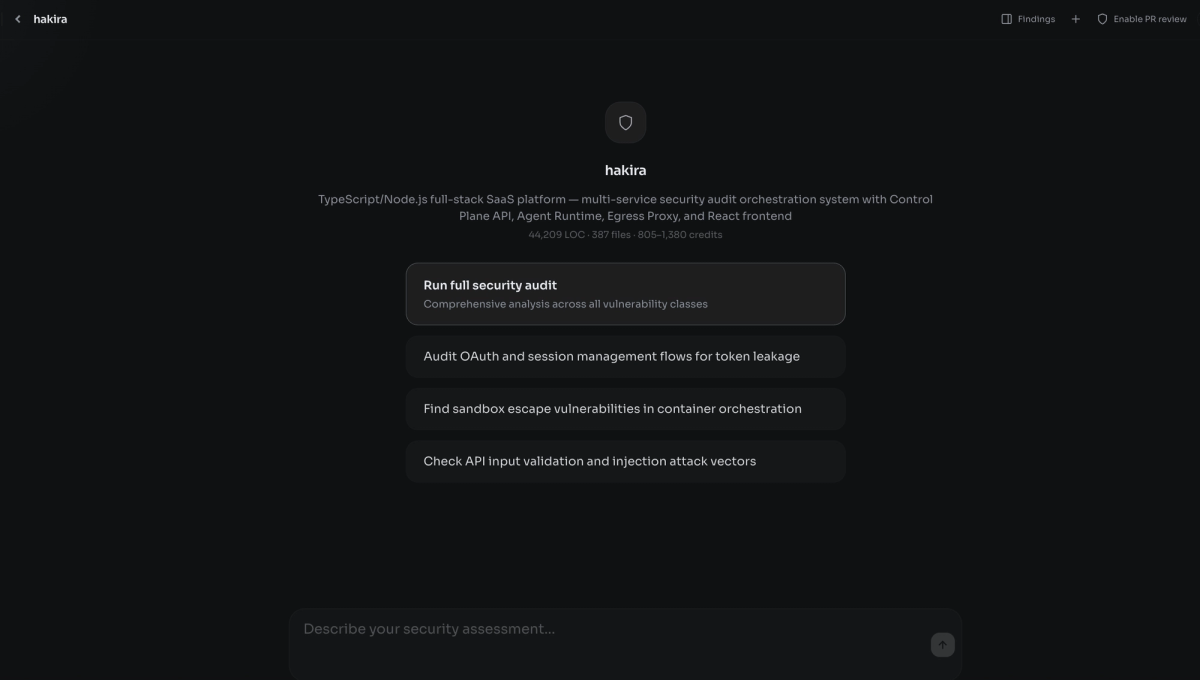
Preset workflow cards — Hakira AI has already analyzed the project structure and pre-populated contextually relevant assessment suggestions based on what it found. In a TypeScript/Node.js SaaS platform with multi-tenant sandbox orchestration, it surfaces concerns like auth token handling across architectural layers, API key injection security, container isolation, and billing metering logic. These aren't generic suggestions — they're derived from the actual architecture Hakira AI observed during initialization. The fact that it surfaces billing logic and container isolation as specific concerns, without being told to, demonstrates that the structural analysis phase is doing real semantic work.
Free-form chat interface — the chat input lets you describe a custom assessment in plain language. "Focus on the authentication layer, specifically JWT validation and refresh token rotation" or "Audit the smart contract for reentrancy and access control issues only" — the agent interprets natural language scope constraints and concentrates its analysis accordingly.
Run full security audit is the right choice for comprehensive pre-launch reviews, new engagements, or client deliverables that need broad coverage. Targeted assessment via chat is better for follow-up reviews, specific component hardening, or re-auditing remediated areas.
The Audit in Progress — What Hakira AI Is Actually Doing
Once you commit to an assessment, Hakira AI begins the deep reasoning pipeline. For large scope (30k+ LOC, complex architecture), this runs 1–2 hours. For smaller repos or targeted assessments, significantly less.
Under the hood during this period, the agent is running four concurrent analytical passes:
Structural traversal — every file, function, and class is mapped. Import/export chains are followed. External API calls are traced to their sources. Third-party libraries are checked against known CVE databases, or vulnerability found in it or any chained attack vector related.
Attack path chaining — rather than flagging individual suspicious patterns, the agent constructs multi-step attack chains. An SSRF in a URL fetch function only matters if it can reach internal metadata services; Hakira AI follows that chain to its conclusion. A hardcoded credential only matters if it has write access to a production resource — the agent traces privilege flow to determine actual impact.
Exploitability assessment — each candidate finding is evaluated not just for existence but for real-world exploitability. Is the vulnerable code path reachable? Does it require authentication? Can the impact be chained to something worse? Findings in dead code or unreachable paths are deprioritised or filtered entirely.
False positive suppression — before a finding is surfaced, it passes a validation pass that checks for contextual benignity. A pattern that looks like SQL injection but operates on a hardened parameterized query layer won't appear in your findings. This is how the platform maintains precision at scale.
Findings — Structure, Severity, and Evidence
When the audit completes, findings populate the panel. Every finding has severity, vulnerability category, a meaningful title, and is backed by proof of Concept. Here's a representative sample from a real scan:
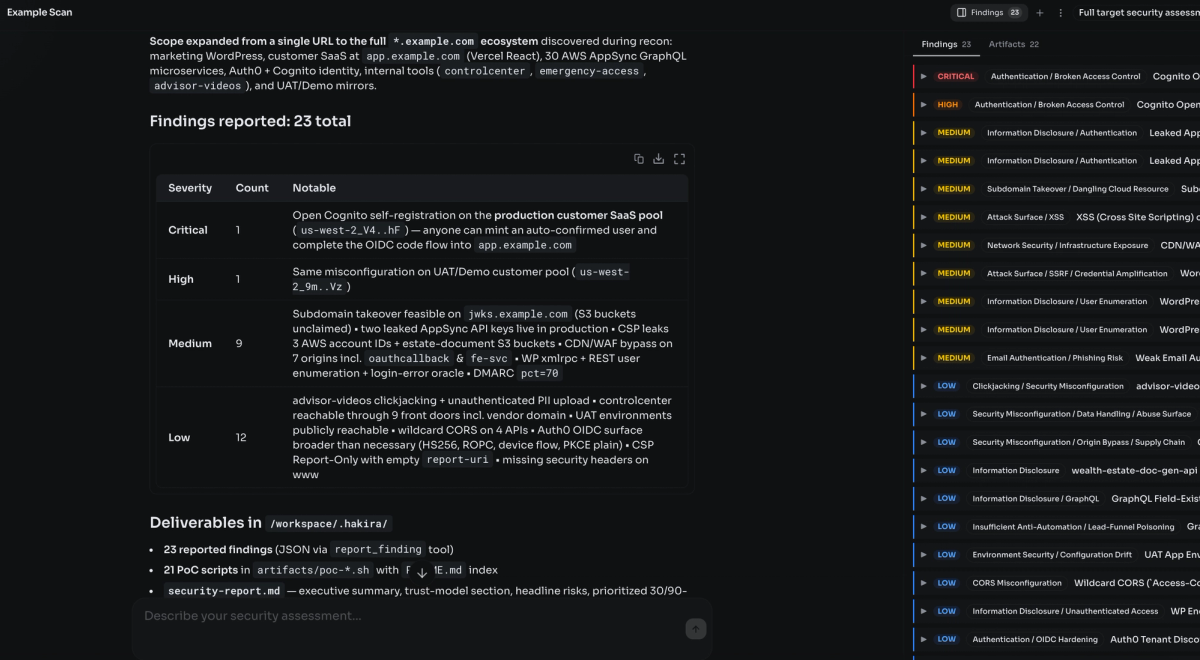
Every title in that list names a specific, concrete issue — not a generic category. "Cognito open self-registration on production customer SaaS pool" isn't a finding type; it's an exact description of the exact misconfiguration on the exact resource. Your developers can act on it immediately without a triage call.
Every severity tier tells a different story — the critical issue is a single, precise, fully-exploitable authentication bypass. The twelve low-severity findings aren't filler; they represent a systematic pattern of misconfiguration debt that compounds into real exposure.
Artifacts — Report & Proof of Concepts
Beyond findings, the Artifacts tab contains the deliverables that make a security engagement actually actionable.
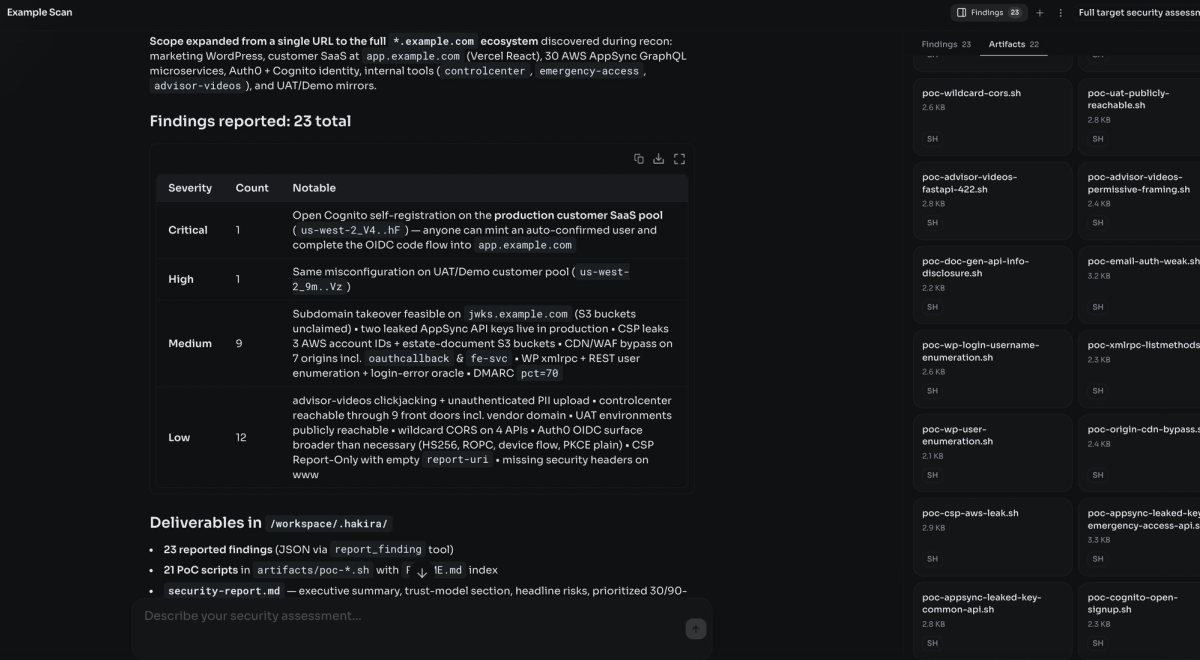
- Final Audit Report:
Structured report with executive summary, per-finding detail, root cause analysis, and prioritized remediation guidance. Ready to hand to developers or clients without manual write-up. - Proof of Concepts:
Working reproduction scripts and steps for each finding. Executable evidence that eliminates false positive disputes — if the PoC runs, the finding is real. - Attack Path Diagrams:
Mermaid-format flowcharts of multi-step exploit chains. Exportable, embeddable in client reports and internal security documentation.
The near 1:1 ratio of PoC scripts to findings is the anti-noise guarantee. Hakira AI doesn't report a finding it can't substantiate. The two findings without standalone scripts are low-severity configuration observations verifiable by inspection — they're documented explicitly in the report rather than omitted. This is what a zero-false-positive commitment actually looks like in practice.
From Login to Report
- Create account via GitHub or Google:
GitHub login is recommended for whitebox audits — grants read access to repos, enabling direct workspace creation without token management. - Review aggregate metrics & create a new workspace:
Cross-workspace view of findings, severity distribution, scan volume, and credit balance. Create isolated workspaces per client or engagement. - Choose: Audit source code or Test a live target:
Whitebox (all plans) or blackbox pentest (Pentest plan only). The fundamental distinction that determines how scope is provided and how analysis runs. - Connect a GitHub repo, upload a ZIP, or enter target URL/IP:
Browse connected repos with auto-detected language tags, or paste a URL for whitebox. For blackbox: provide IP/domain plus scope notes for engagement context. - Hakira AI clones, analyzes structure & estimates credits:
Workspace provision > repo clone > structural analysis > complexity and credit estimation. You see the cost range before committing to the full audit. - Select a preset workflow or describe a custom assessment:
AI-suggested workflows derived from the actual architecture observed during initialization. Or define your own scope in natural language via the chat interface. - Hakira AI reasons through attack surface, chains paths & validates:
Structural traversal, attack path chaining, exploitability assessment, false positive suppression — in parallel. Only validated findings make it through. - Prioritized findings, risk chains, PoCs & final report:
Every finding has severity, category, detailed evidence, and a working PoC. Attack chains are visualized. The final MD/PDF report is ready for handoff — no manual write-up required.
Conclusion
If this walkthrough has shown you one thing, it's that the gap between running a security scan and conducting a security audit is not a matter of tooling sophistication — it's a matter of reasoning depth. Scanners fire rules. Hakira AI builds a model of your system, thinks through it like an attacker, chains findings into real exploit paths, and hands you the PoCs to prove every single one.
"Hakira didn't just surface issues — it reconstructed how an attacker would actually break the system."
The platform was built by people who run professional security engagements — not by a software team that studied CVE databases. The SKILL library that powers the reasoning engine is a living artifact of real audit work.
Hakira AI already showed skills with a valid/paid submissions in known Bug Bounty programs such as a: Polymarket, Coinbase, Avalanche, 0x and others on major platforms like a HackerOne, Immunefi, HackenProof, and Bugcrowd and others, continuously sharpening the agent's ability to find the next one.